How to See Your Remaining Subscription Licenses
ContactsFlow™ (formerly Shared Contacts for Gmail™) provides organizations with a seamless means to monitor the availability of subscription licenses. The allocation of “used” licenses depends upon the number of users utilizing the application or accessing shared contact labels.
Our application takes care of license assignments automatically. The initial license is automatically allocated to the user who installed the app. Subsequently, each time a contact list (label) is shared with a user, an additional license is utilized. In the event that users share a label with a Domain Group (Google Group), each member within the user’s group will consume one license.
There are two ways to view the remaining subscription licenses:
First Method: Through the Web Application
Time needed: 2 minutes
- Log in to your ContactsFlow™ (formerly Shared Contacts for Gmail™) account.
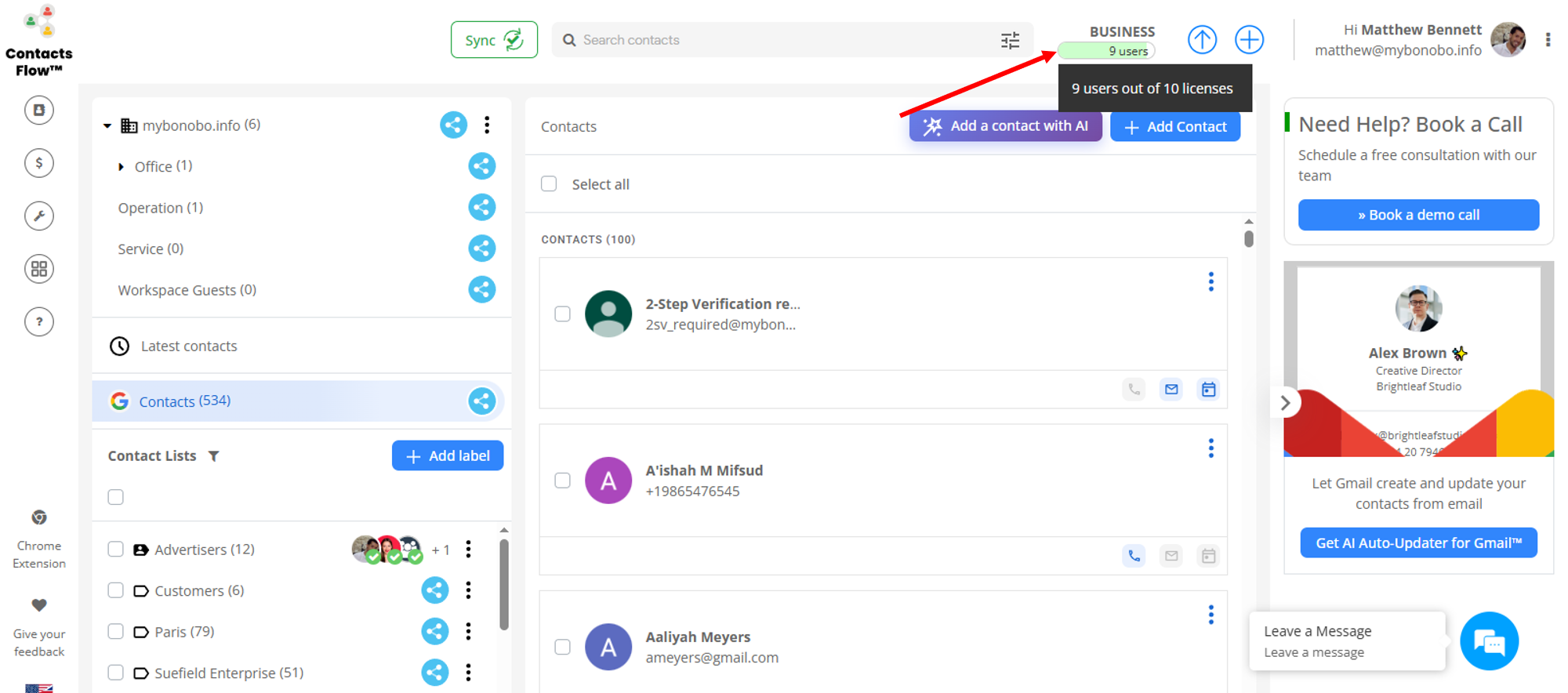
- Hover over the seat count badge at the top-right of the screen.
A tooltip will show how many licenses are currently used out of the total purchased. For more detailed information, proceed to the next step.
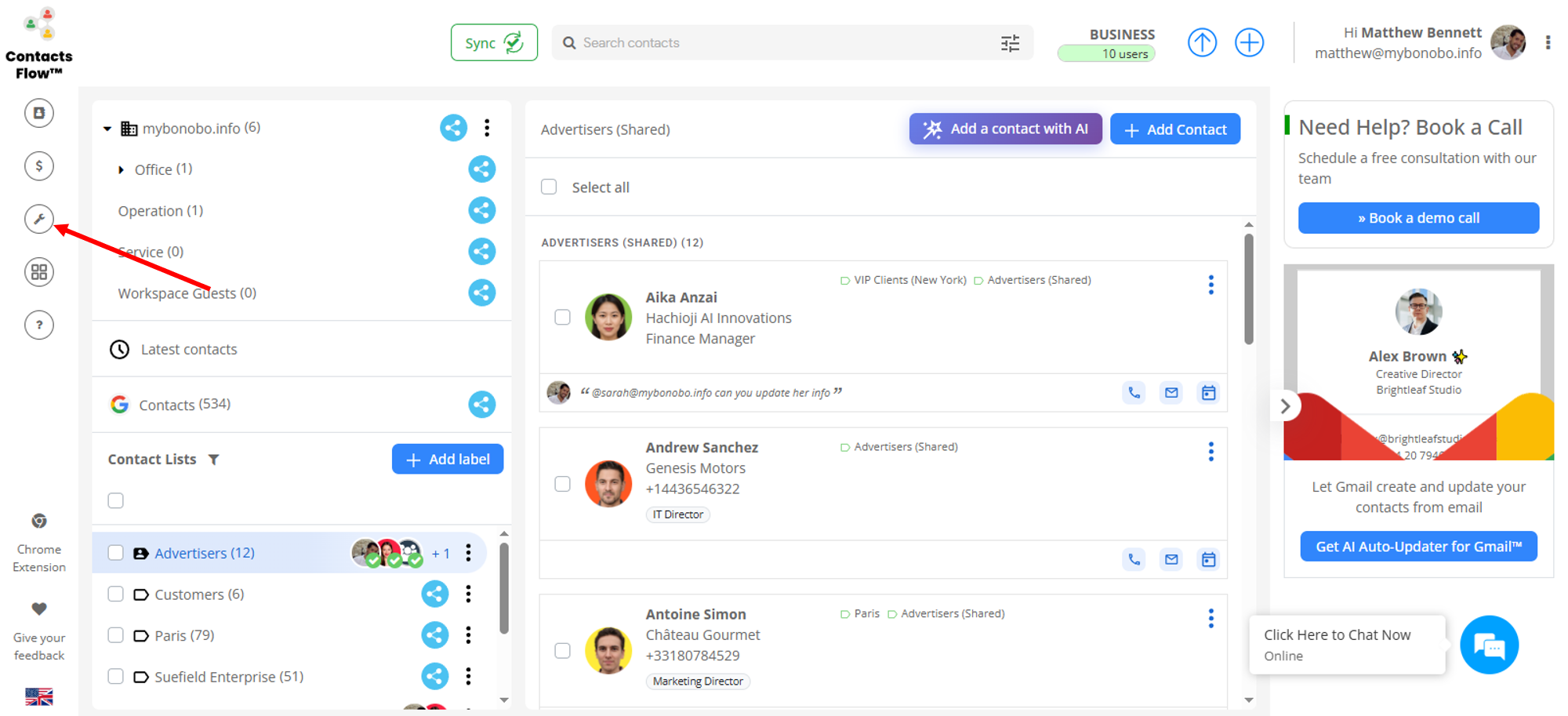
- Select the settings icon on the left pane.
If you are not an admin, this does not show.
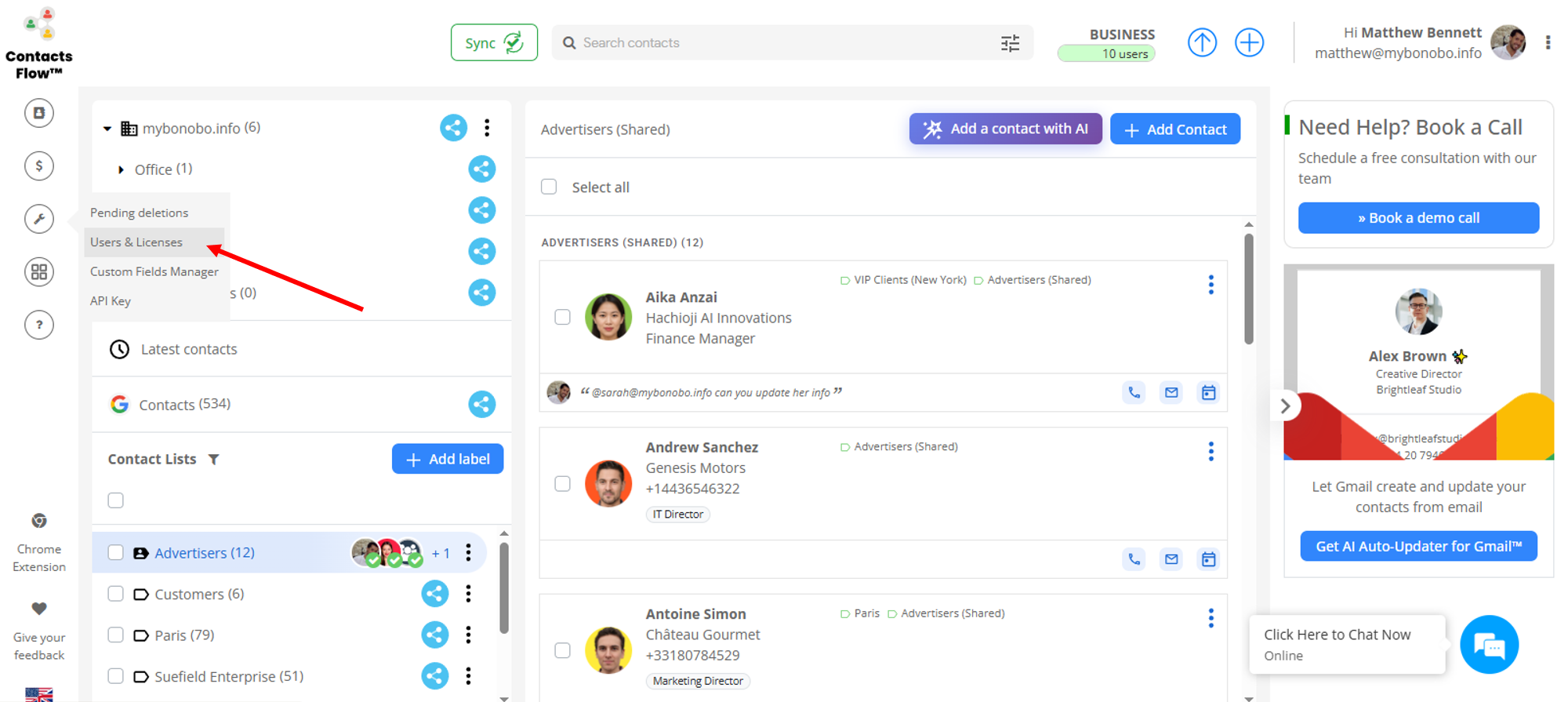
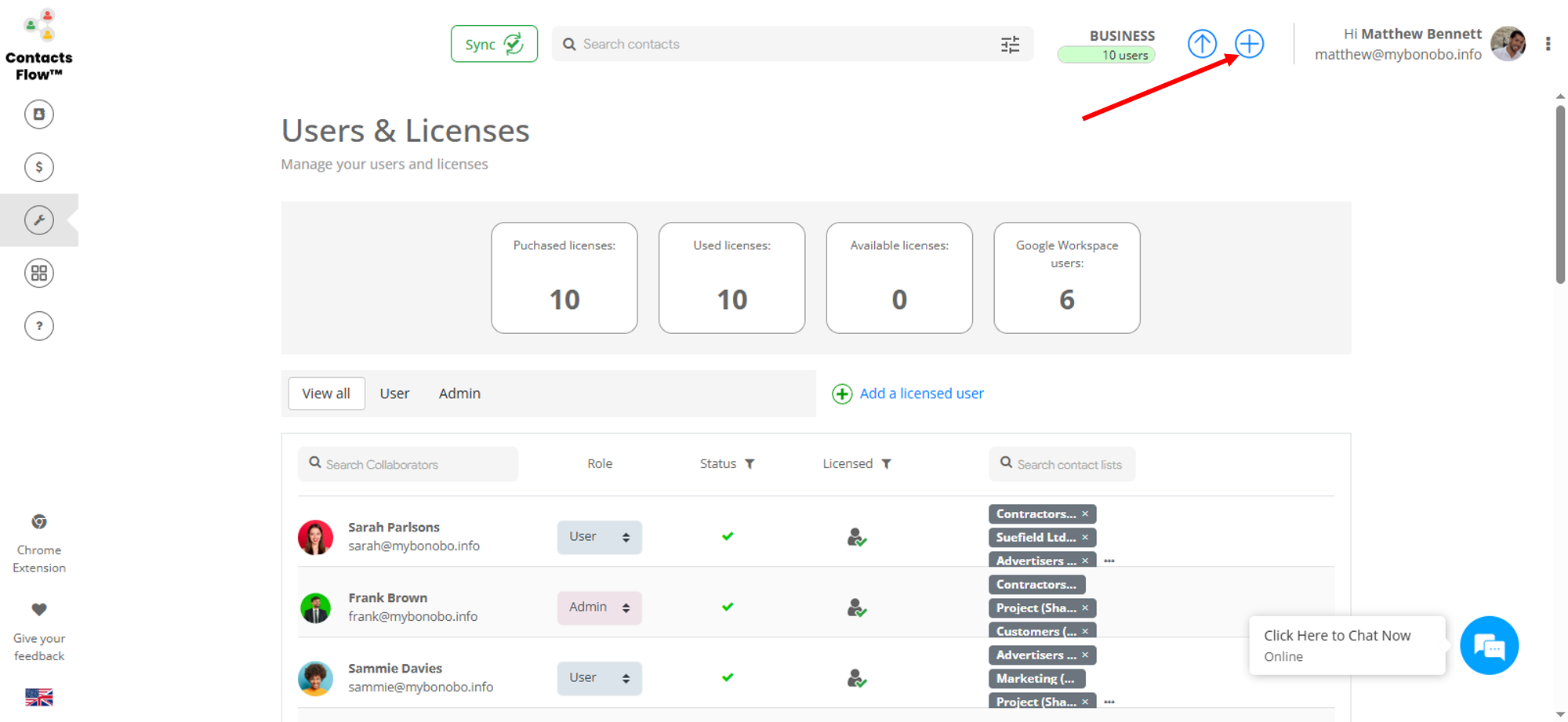
- Select ‘Users & Licenses‘.
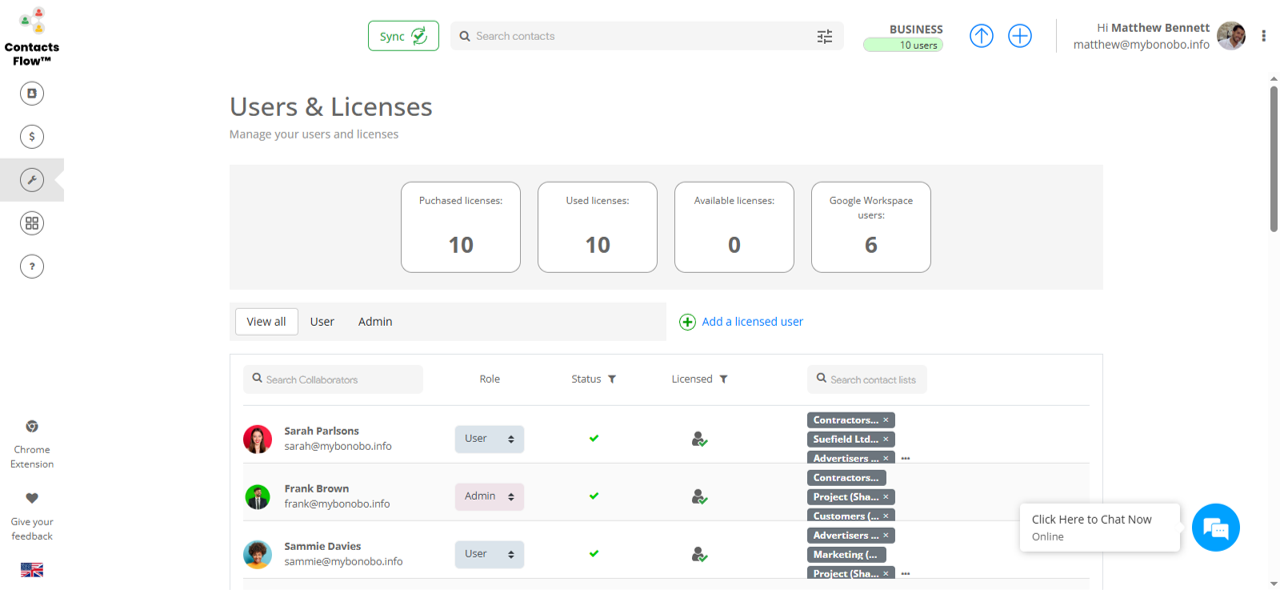
- Now, you can view all license-related information.
This includes the number of purchased, used, and available licenses, as well as the total number of Google Workspace users in your domain. The page also lists the accounts using the licenses, along with their role (user or admin), status, and the labels they can access.
- If you want to purchase additional licenses, click the plus sign.
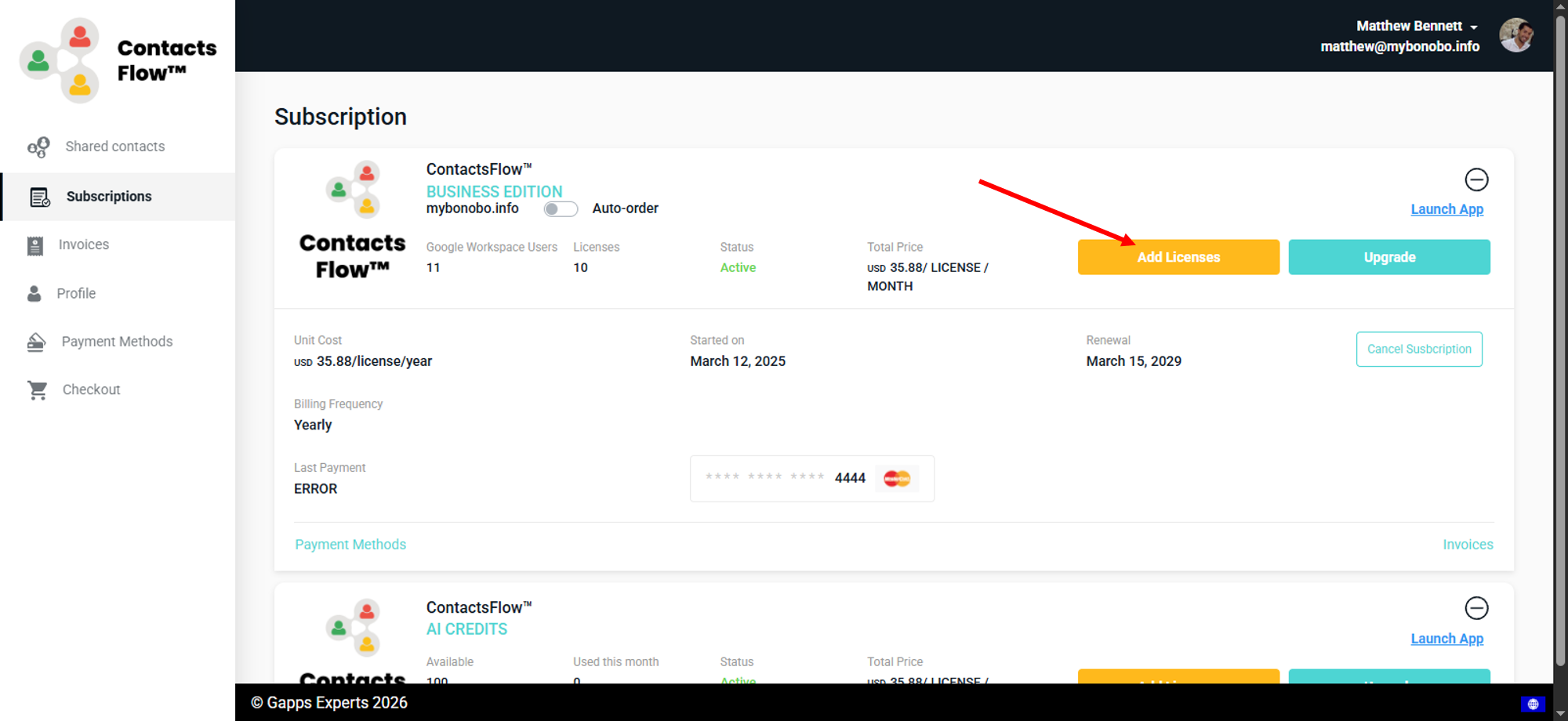
- Click ‘Add Licenses’ and follow the prompt.
Second Method: Using a Chrome Extension
Once you have successfully installed your Chrome extension, your Google Contacts dashboard will have the Chrome add-on as seen below. The available licenses will be displayed at the top right side of the screen. To purchase additional licenses, click the ‘Add Licenses‘ and follow the prompts. Please note that only admins have this button.
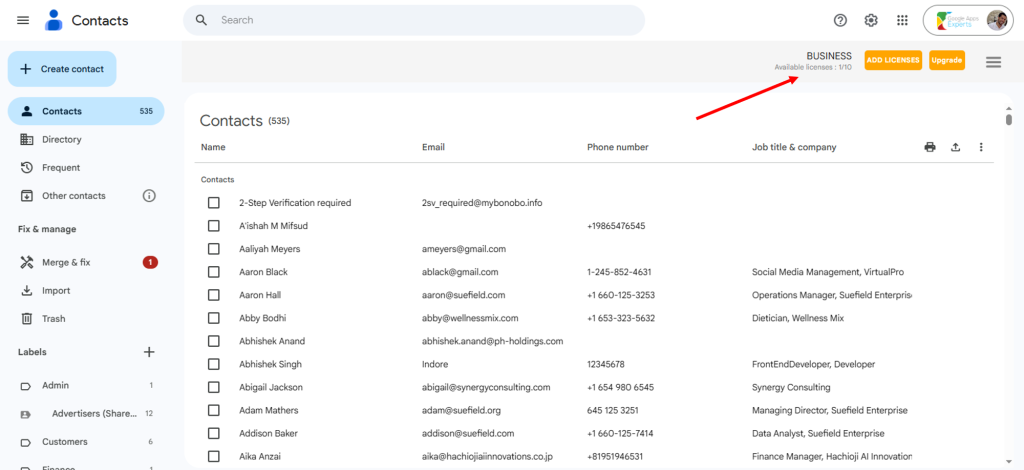
Your page will then load to the admin billing page, where you can purchase more licenses. If you do not have the Chrome extension installed, refer to the guide on how to install the Chrome extension.
Takeaway
Keeping tabs on the remaining subscription licenses you have is important. If you see you have a low number of available licenses, it’s high time to optimize them. Remove unnecessary users to save on the licenses. Otherwise, if you share with more users than your number of licenses, the new ones will be marked as “Unlicensed”. If more is still needed, you can easily buy more licenses on your subscription page by clicking on ‘Add Licenses’.
It should also be noted that admins need not worry about how to assign licenses. ContactsFlow™ (formerly Shared Contacts for Gmail™) automatically assigns the user licenses to each account you shared the label with.


