How to Use ContactsFlow™ (formerly Shared Contacts for Gmail™) Chrome Extension
To enable users to share or add contacts directly from their Google Contacts dashboard, and to minimize wasted time spent on swapping between applications, we recommend utilizing the ContactsFlow™ (formerly Shared Contacts for Gmail™) Chrome Extension.
This plug-in allows our users to occupy a friendly, centralized space of contact sharing within their already inhabited Google Workspace, maximizing team efficiency. The users benefit from having sharing abilities added to their Google Contacts interface, as it gives them the ability to share contacts exactly like you share Google Drive folders and documents.
This plug-in does not require any third-party apps. ContactsFlow™ (formerly Shared Contacts for Gmail™) is fully integrated into Google Contacts Manager.
Steps on How to Use the Chrome Extension
Time needed: 3 minutes
Let’s show you how to use the Chrome Extension and start sharing your contact labels right from the Google Contacts manager, in 6 simple steps!
- Sign up for ContactsFlow™ (formerly Shared Contacts for Gmail™) using the application website.
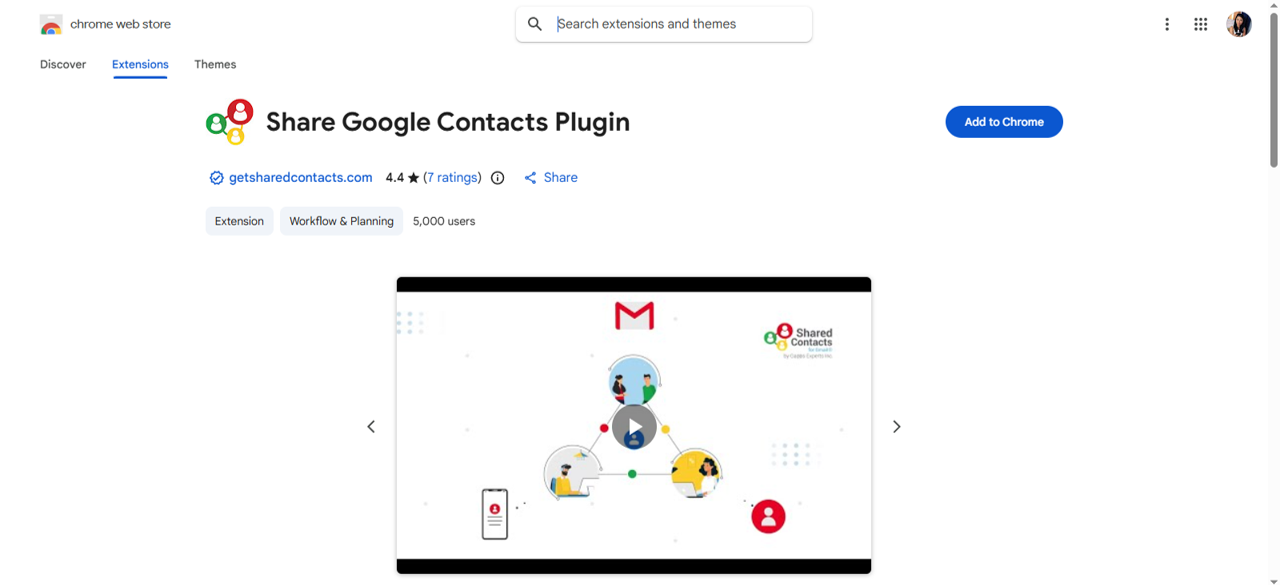
- Once signed up, install the Google Contacts Plugin from the Chrome Web Store.
Follow all the prompts. Then, the page will subsequently reload and take users to Google Contacts Dashboard.
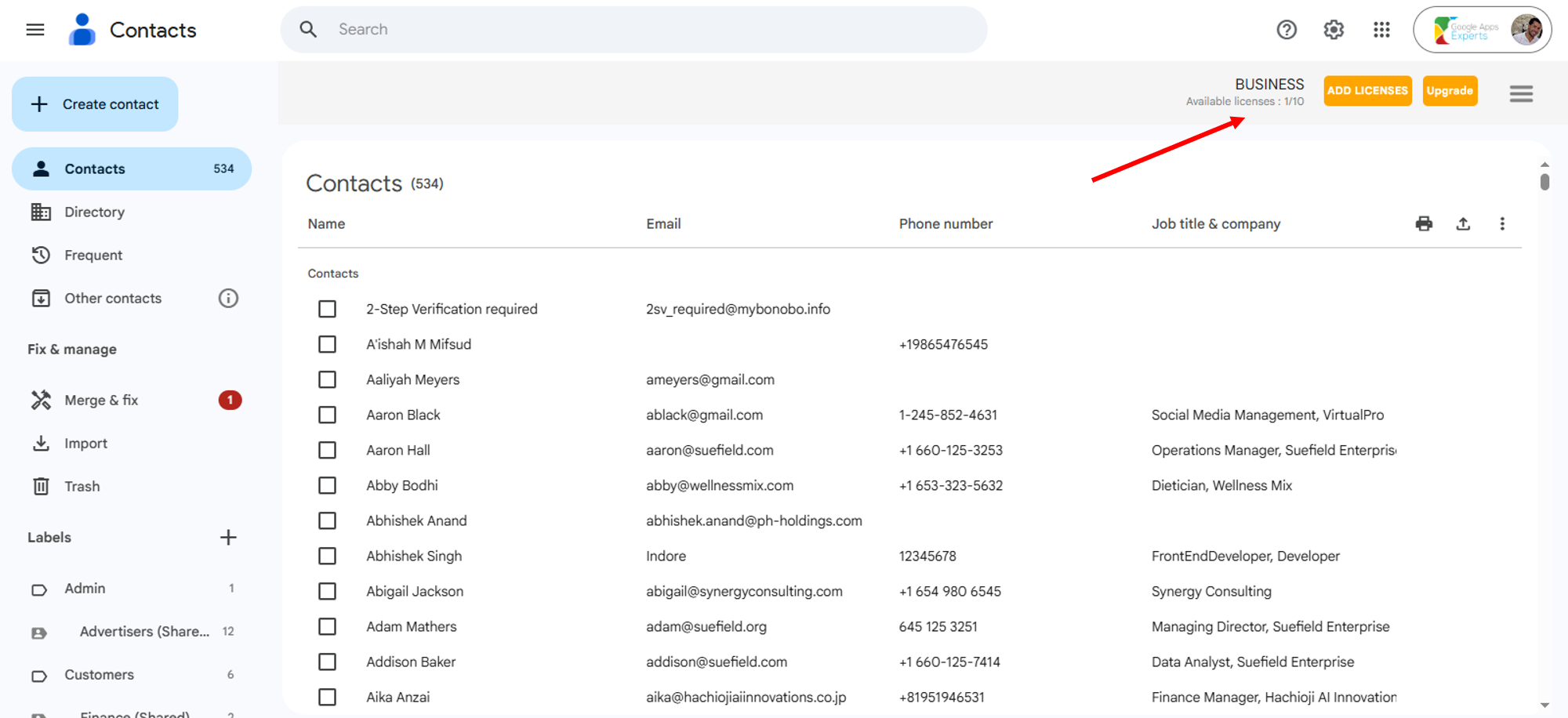
- Log into your Gmail account > Google Apps Icon > Google Contacts.
This status indicator in the top right-hand corner shows that the Chrome extension has been integrated successfully.
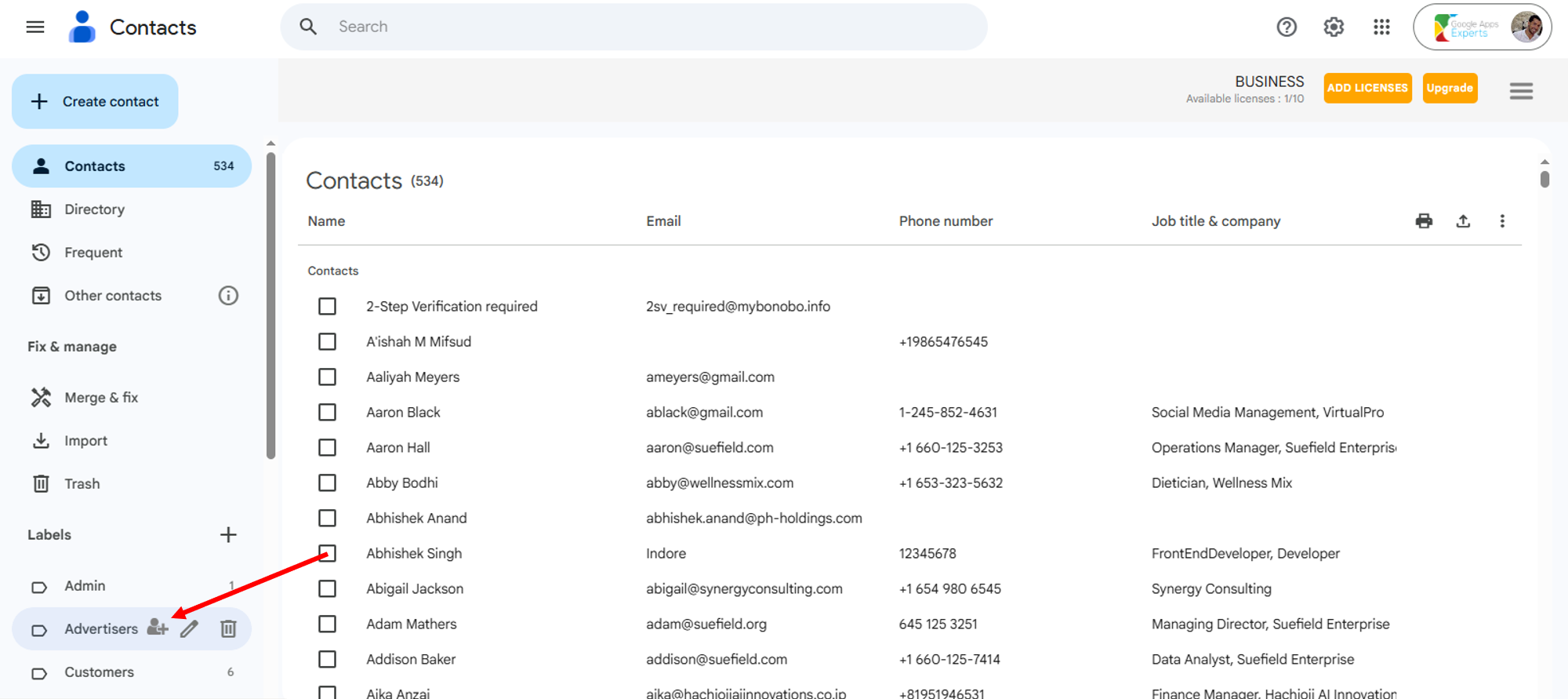
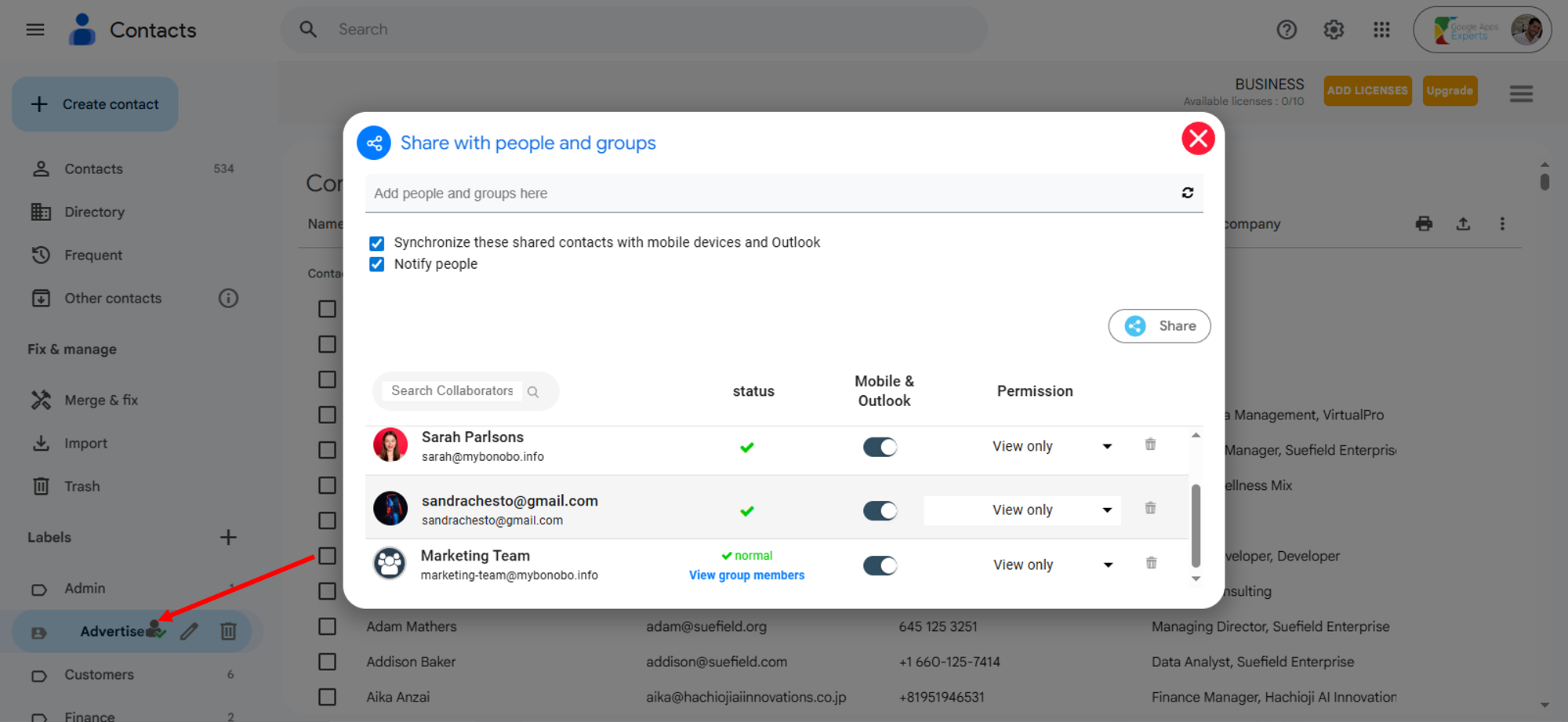
- By hovering your mouse over a label, the “Share” icon allows you to manage your labels from your Google Contacts interface.
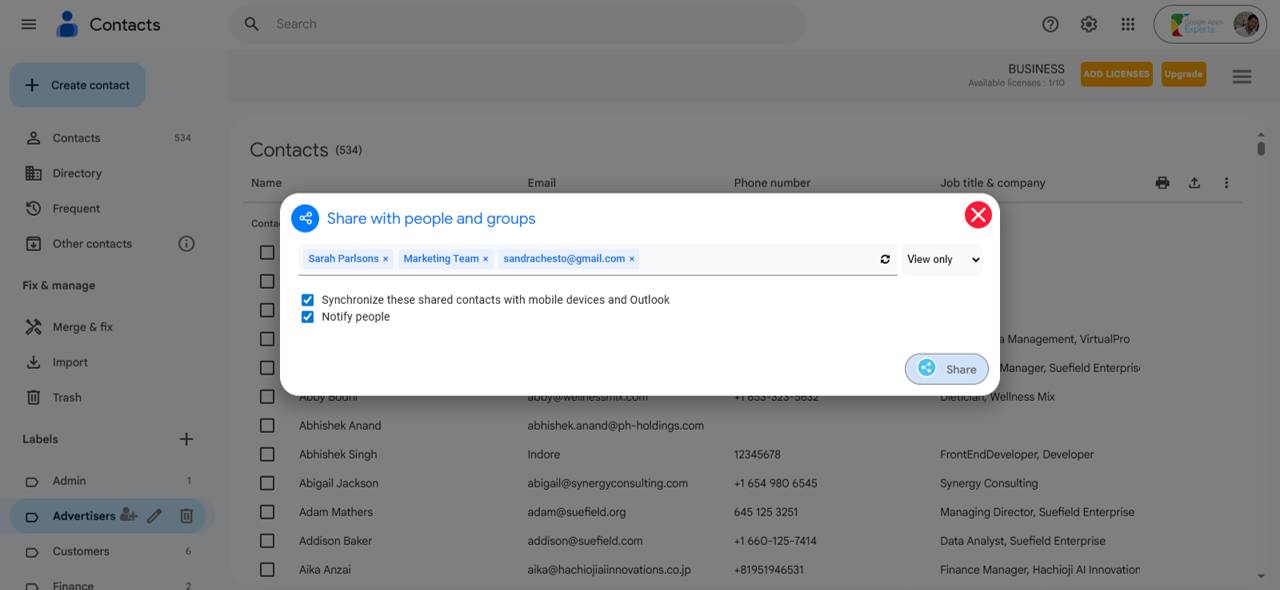
- The Chrome Extension allows users to share from their Google Contacts Interface.
In the search bar provided, add all the collaborators you would like to share this label with and hit “Share”.
- This Shared Icon transforms to show you that your collaborators have successfully been added. Well done!
By pressing on the Shared icon, users can see the added users in more detail.
You have successfully installed the Chrome extension of ContactsFlow™ (formerly Shared Contacts for Gmail™).
Regardless of whether you use Chrome, you can still share your contact labels through the ContactsFlow™ (formerly Shared Contacts for Gmail™) app.


